Reliability
Deployment-grade availability
Define uptime commitments, maintenance windows, and operating ownership as part of the deployment plan—not after calls are already in production.
Contracted availability terms
Queue coverage
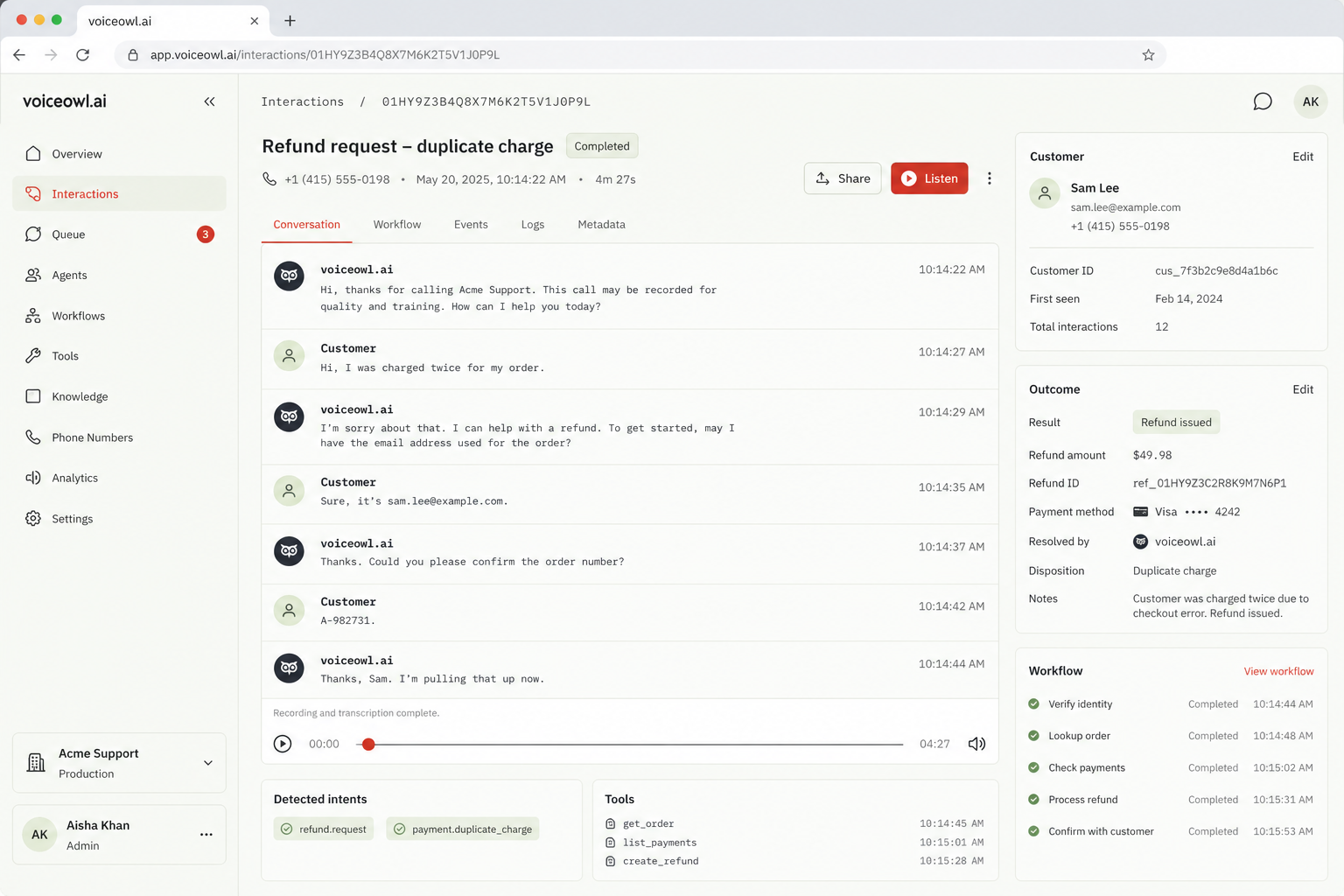
voiceowl.ai helps operations teams build, test, and deploy voice agents for repetitive phone workflows—from customer-support triage to scheduled callbacks.
A callback agent can identify the caller, complete approved tool actions, and hand exceptions to the right queue with the conversation context intact.
Callback processing
Enterprise adoption
Customer evidence
“We moved our inbound support agent into production in two weeks. It now covers 100% of inbound call volume, so our team can focus on exceptions and human handoffs instead of working through the queue.”
Multi-location home services company
Customer operations lead
Director of inbound customer support
Workflow control
Move from a clear operating brief to a production-ready voice agent without separating dialogue design from the systems and rules that make each call useful.
Choose the speaking voice, pace, and interruption behavior that fit the calls your team handles.
Set supported languages and conversation behavior so callers receive a consistent experience.
Connect approved policies, procedures, and service information the agent can use during a call.
Define the agent’s role, required questions, escalation rules, and boundaries in one operational brief.
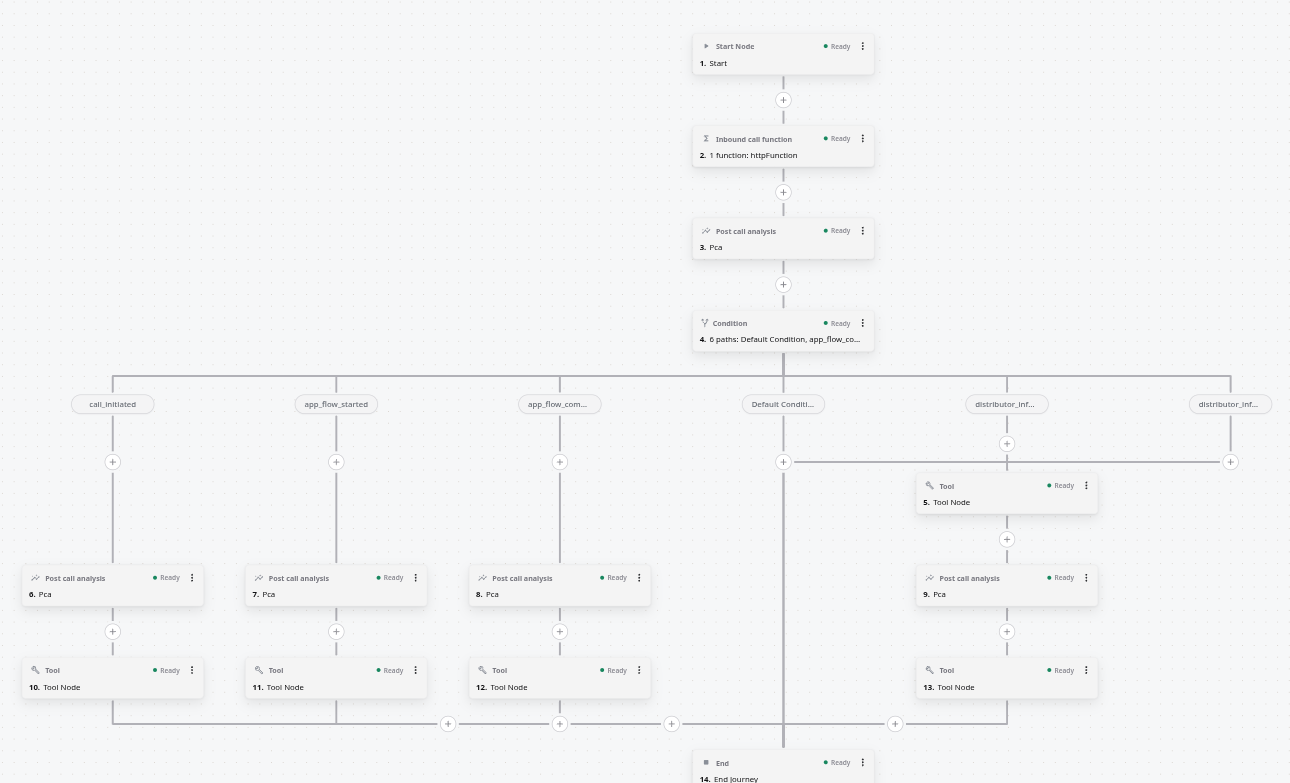
Build multi-step call paths for qualification, scheduling, follow-up, support triage, and other repeatable work.
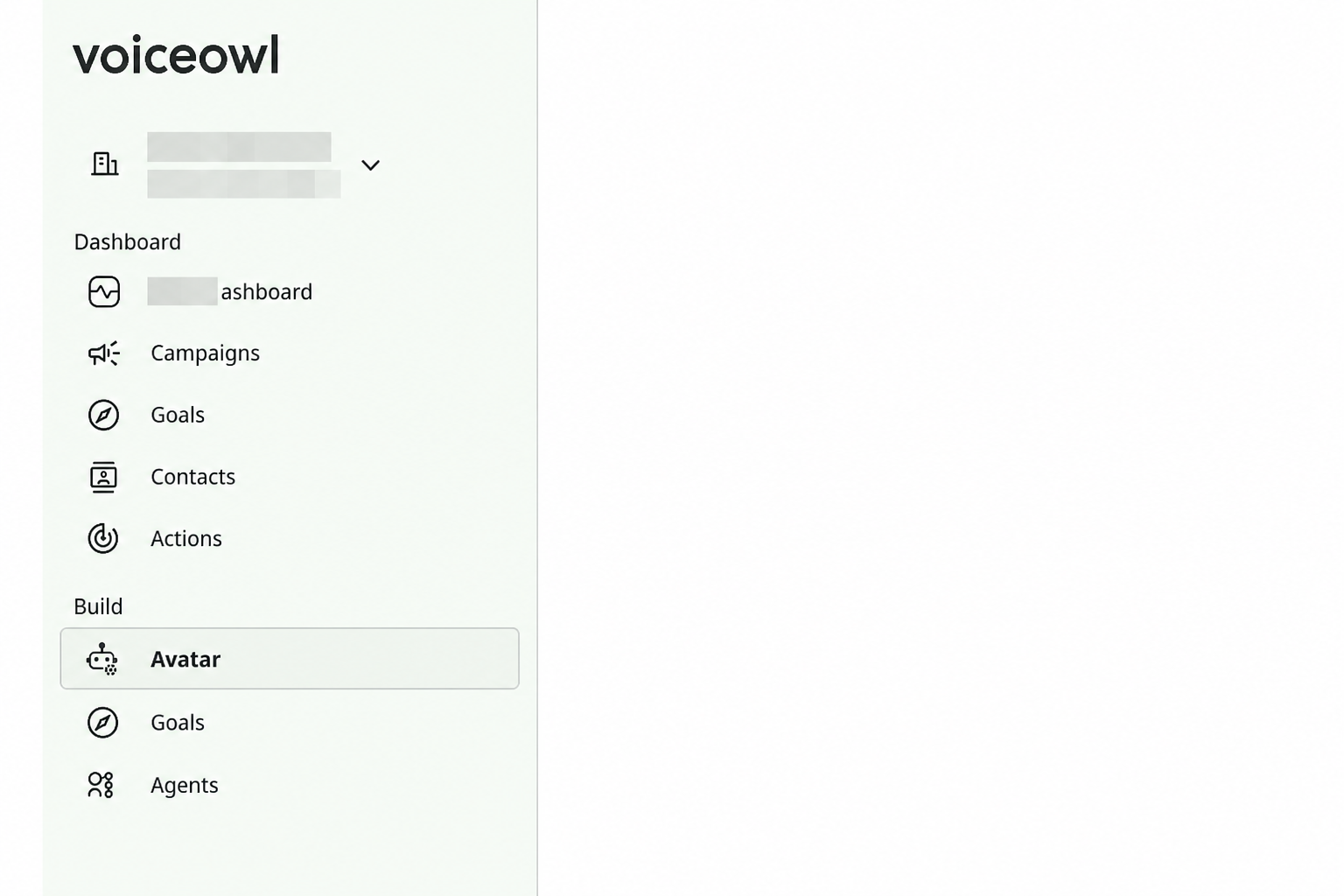
Connect the systems that let the agent look up records, take actions, and hand off with context.
Agent configuration workspace
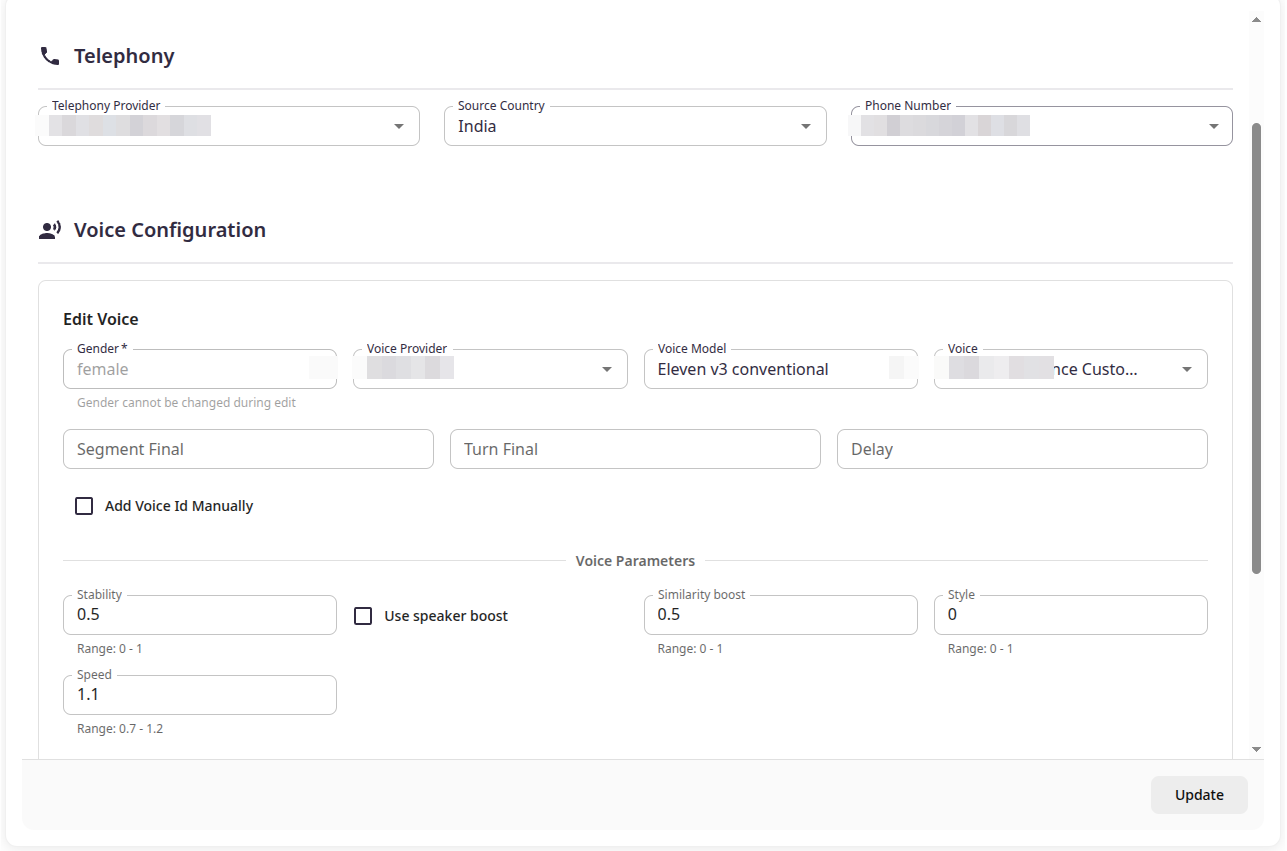
Bring one of your current phone workflows and see how it can be configured, connected, and prepared for deployment on the platform.
Workflow control
Connect voiceowl.ai to your CRM, help desk, phone stack, scheduling tools, data platforms, and internal services. Agents can retrieve context, update records, trigger actions, and route calls without replacing the systems your team relies on.
Reliability
10M+
Calls handled
99.99%
Platform uptime
25K+
Voice agents deployed
40K+
Developers building
500 ms
Median response latency
Workflow control
voiceowl.ai gives operations and support teams the routing, system actions, escalation paths, and service controls needed to move calls out of the backlog without losing oversight.
Request a demoReliability
Define uptime commitments, maintenance windows, and operating ownership as part of the deployment plan—not after calls are already in production.
Contracted availability terms
Reliability
Severity-based support routes give teams a defined path for reporting service issues, supplying call context, and tracking resolution.
Support SLA · Severity routing
Workflow automation
Route each call from intent detection through business checks and approved actions, with a visible resolution state for supervisors.
Intent → Rules → Resolution
Support operations
Turn appointment confirmations, status checks, and follow-ups into controlled call tasks with retry and completion states.
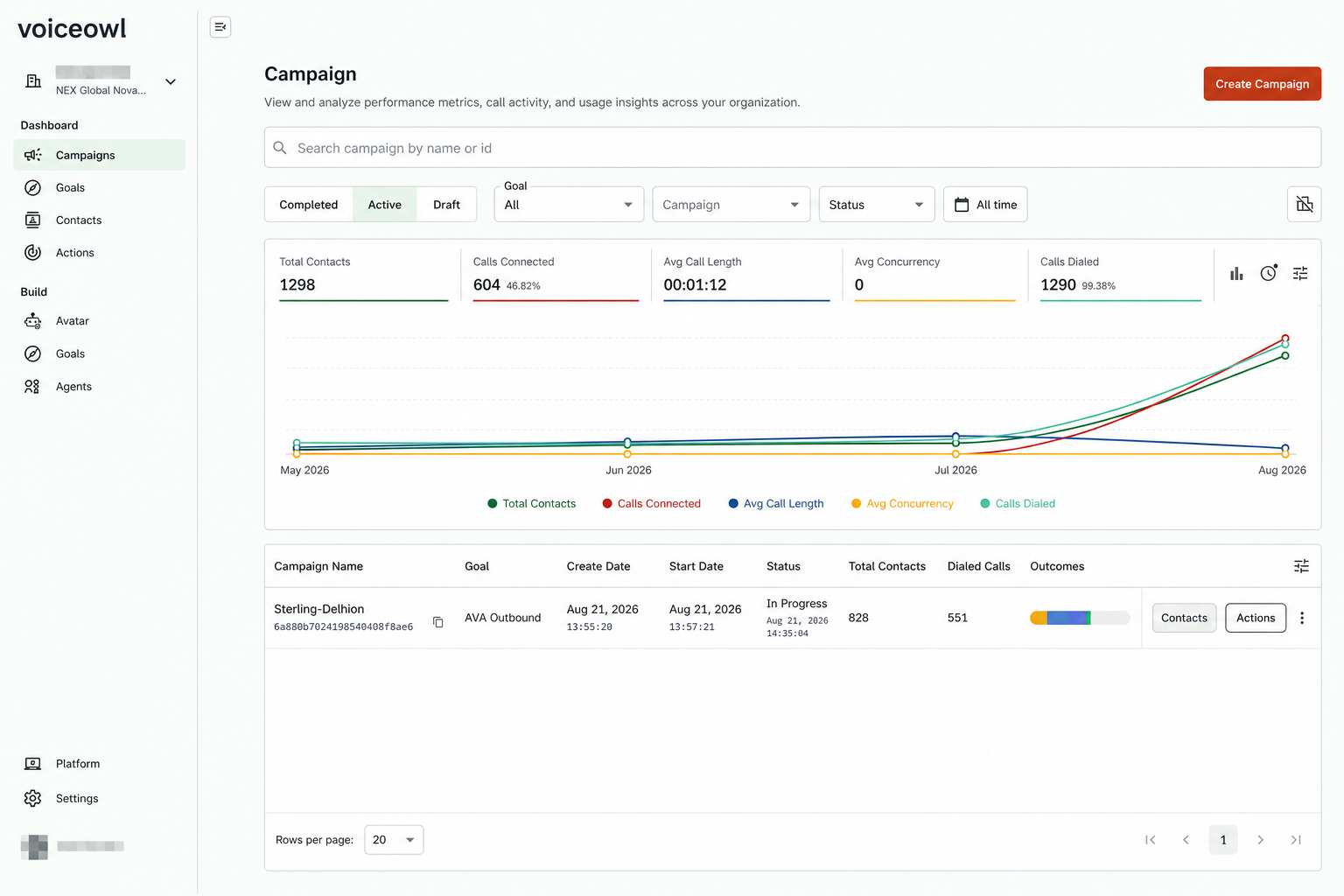
Connected operations
Pass verified call details between the phone system, CRM, and operational tools so the next team starts with current information.
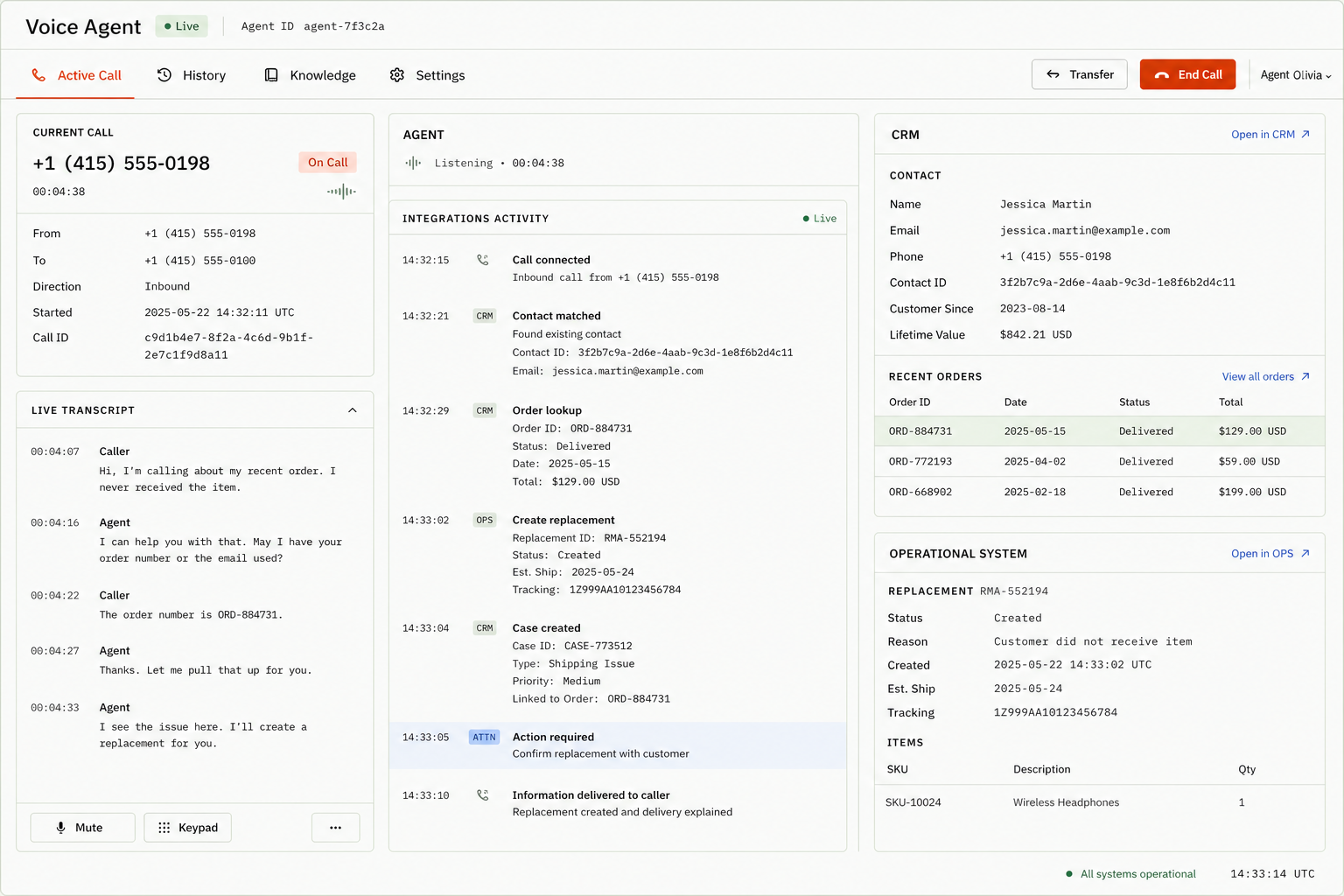
Handoff
Escalate exceptions to the right person with the caller’s intent, completed checks, and relevant system updates already attached.
Handed off · Context included
Workflow control
Build voice agents around the real steps behind each call—from checking availability to retrieving an invoice, updating the system of record, and confirming the outcome with the caller.
Appointment scheduling
Caller
“Can I move Thursday’s cleaning to Friday morning?”
voiceowl.ai
“Friday at 10:30 is open. I can move the appointment and text the confirmation now.”
Invoice management
Caller
“Has invoice INV-2048 been paid?”
voiceowl.ai
“It cleared this morning. I’ve emailed the receipt and marked the account settled.”
Operational next step
Walk through your call process with our team, or start building an agent for a workflow you already know you want to automate.